Feature
Automatic cross-platform sync
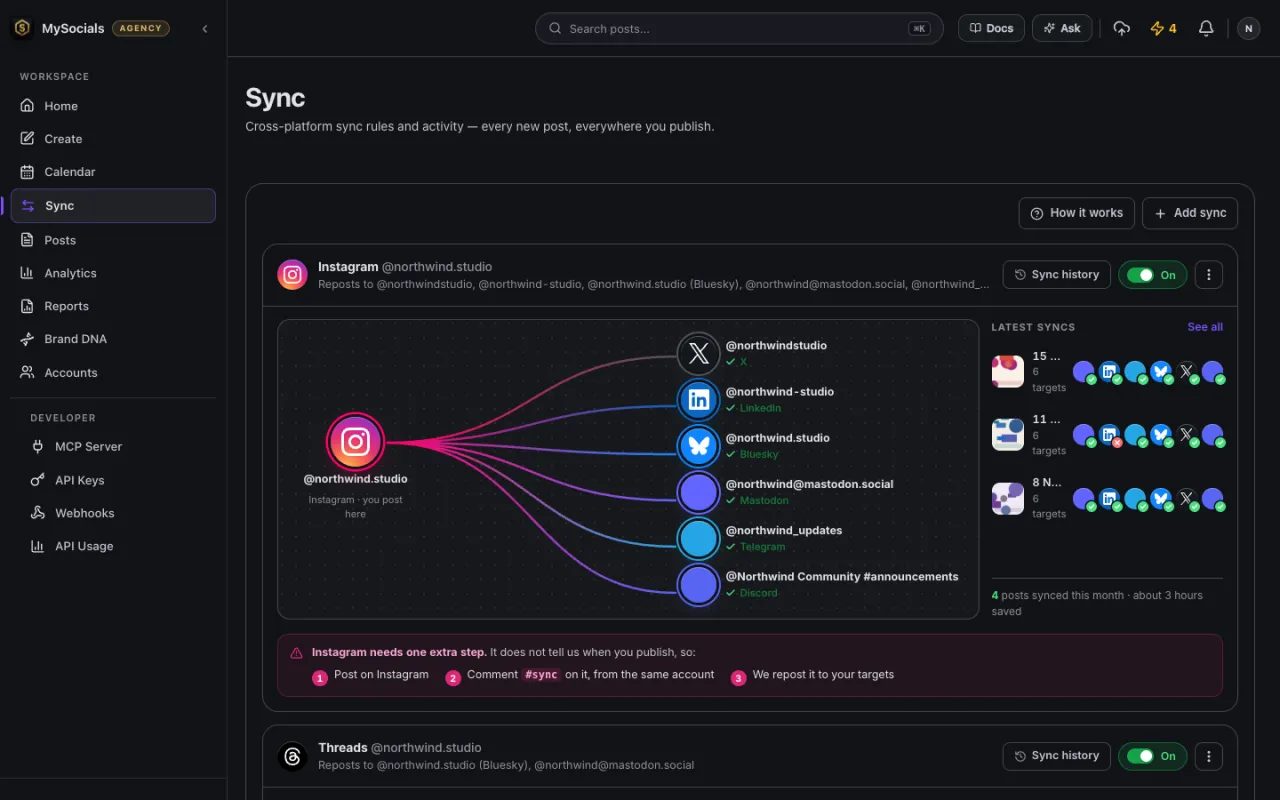
Post natively on one account, and MySocials republishes the post to the other accounts you pick. Set up a sync rule once and it keeps working in the background.
Where a sync can start
A sync rule has one source account, the place you post natively. MySocials learns about a new post on the source in a different way for each platform:
- Facebook Pages and Threads: Meta notifies MySocials of the new post through webhooks.
- Bluesky: MySocials follows new posts through Bluesky's public Jetstream feed.
- Instagram: Instagram sends no new-post notification, so you comment #sync on your own new post and MySocials picks it up from there.
Where it can go
Destinations can be any of your other connected accounts on Instagram, Facebook, Threads, YouTube, X, LinkedIn, Bluesky, Mastodon, Telegram or Discord. One source can feed many destinations, and an account can be a destination in several rules.
Each destination gets a post that fits
- Text longer than a destination allows is shortened, with a link back to the original post when one is available.
- Images and video go to a destination as they are wherever it accepts them. Video can be re-encoded to fit a destination's format rules, and anything that still cannot fit (for example a text post going to YouTube, which only takes video) skips that destination, with the reason recorded.
A history you can check
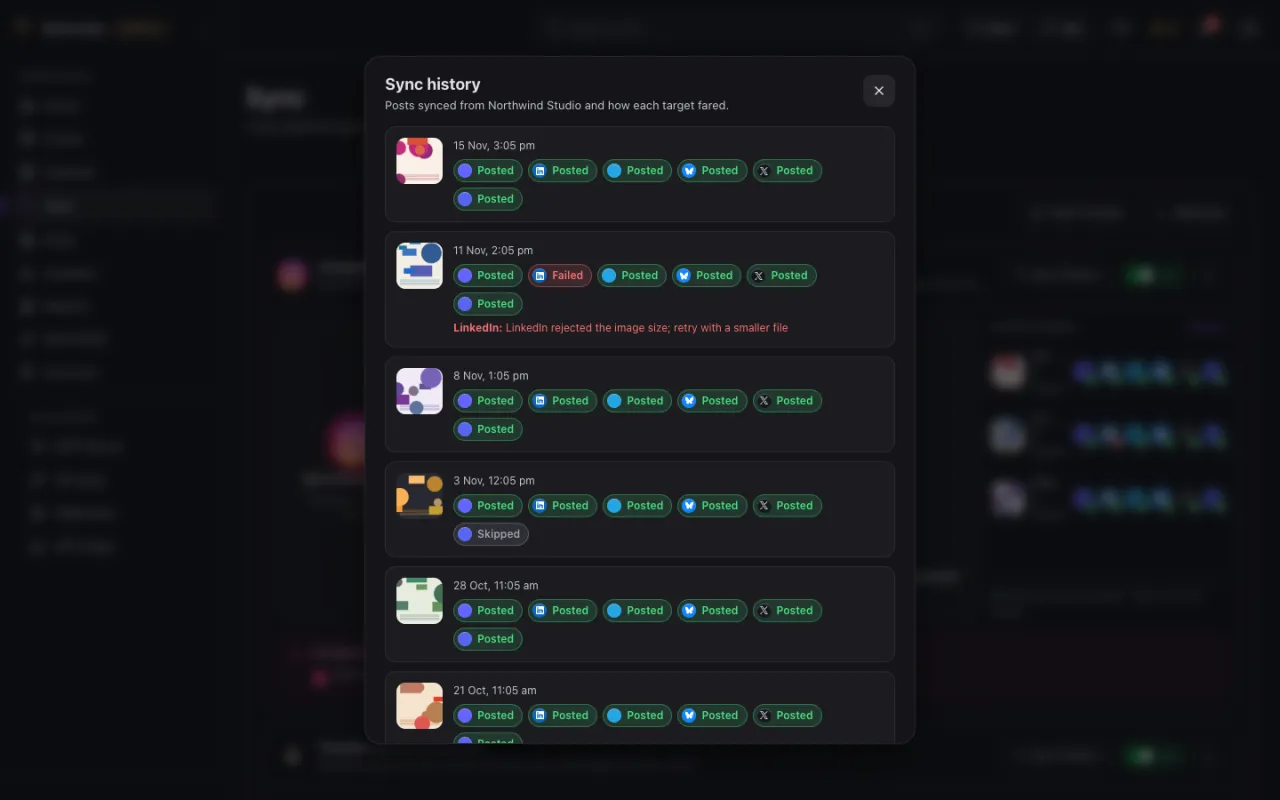
Every synced post is listed with the outcome for each destination: posted, skipped or failed, with the platform's reason for a failure. Each rule can be switched off and on again without deleting it.
Read the docs
Related
Start with the free plan
Create an account, connect your social profiles and publish your first post on the Free plan.