Features
Everything MySocials does
Publish to all your social accounts from one composer, schedule on a calendar, sync posts from the account you already post on, and track how it all performs.
Features
Cross-platform publishing
Write one post, pick your accounts and publish to all of them, with each platform's limits checked before anything is sent.
Scheduling and calendar
Pick a date and time and MySocials publishes for you. See every published, scheduled, draft and failed post on one calendar.
Automatic sync
Keep posting where you already post. MySocials notices the new post and republishes it to the accounts you choose.
Analytics and reports
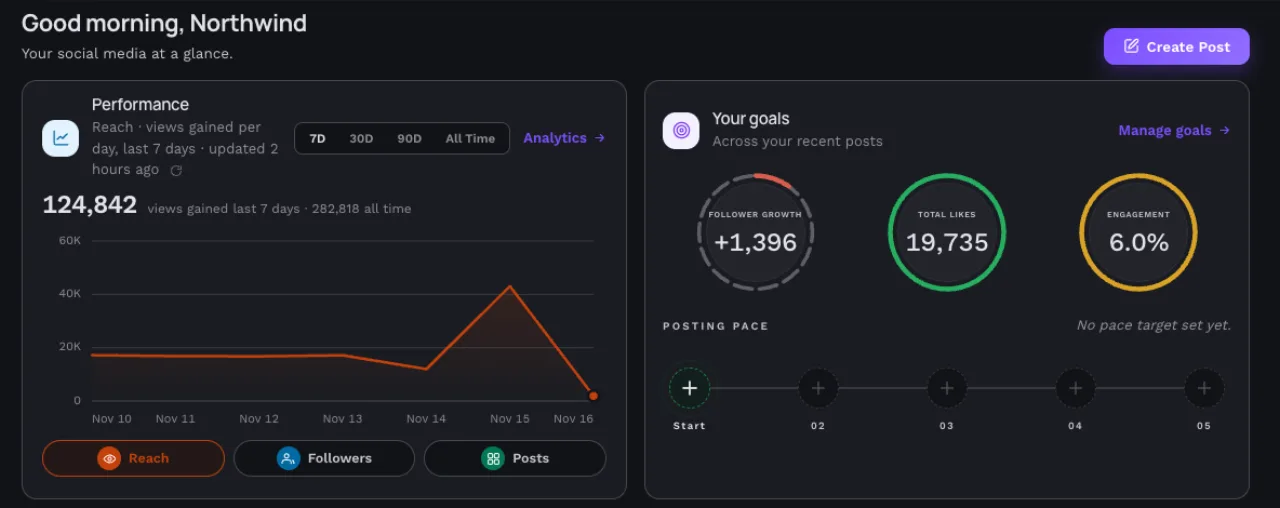
Followers, views and engagement from the platforms' own data in one dashboard, plus scheduled email reports.
What each feature does
MySocials brings the work of running several social accounts into one place. You write a post once, choose where it goes, and publish it now or at a time you pick. Posts you make natively on one account can be republished to your others automatically, and the numbers from every account come back into a single dashboard. Here is what each part does.
Publish everywhere from one composer
Select the connected accounts a post should go to and the composer shows a preview for each of them. You can write one caption for every platform or adjust it for a single platform.
Each platform has its own rules for caption length, how many images or videos a post can carry and whether they can be mixed. The composer checks them while you write, so a post is not rejected for formatting. Every platform is published and tracked separately, so one failure does not hold the others back, and a failed post shows the reason the platform gave.
More about cross-platform publishing
Schedule posts and plan them on a calendar
Pick a date and time and MySocials publishes the post for you, whether or not you are online. Times are shown in your account timezone, and you can change a scheduled post until it starts publishing.
The calendar shows every published, scheduled, draft and failed post with the platforms it goes to, a count of each status for the month, and the next posts in the queue.
More about scheduling and the calendar
Sync posts from the account you already use
If you already post natively on Instagram, Facebook, Threads or Bluesky, a sync rule republishes each new post to the other accounts you choose, such as X, LinkedIn, Mastodon, Telegram or Discord. You set the rule up once and it keeps working in the background.
Each destination receives a version that fits it: long text is shortened with a link back to the original where possible. Sync history lists every post with the result for each destination, and a rule can be paused and resumed at any time.
Analytics and email reports
Followers, views, engagement and impressions for your connected accounts come from each platform's own data and appear in one dashboard. The metrics available depend on what each platform shares with apps.
Email reports send a daily, weekly or monthly summary at the time and in the timezone you pick, with the metrics you choose, to you and anyone you add as a recipient.
More about analytics and reports
Works with the platforms you use
MySocials connects to Instagram, Facebook, Threads, YouTube, X, LinkedIn, Bluesky, Mastodon, Telegram and Discord through each platform's official connection. The platforms page lists what MySocials can publish to each one and which analytics it reports.
Also included
- Workspaces for teams on the Pro and Agency plans, with owner, editor and viewer roles and an optional owner approval step before posts publish.
- A public API with scoped API keys, and signed webhooks for published, failed, approved and rejected posts.
- AI caption tools are coming soon.
Start with the free plan
Create an account, connect your social profiles and publish your first post on the Free plan.